
One Link for Makers, Guides and Callers: Put Your Work in Your Bio
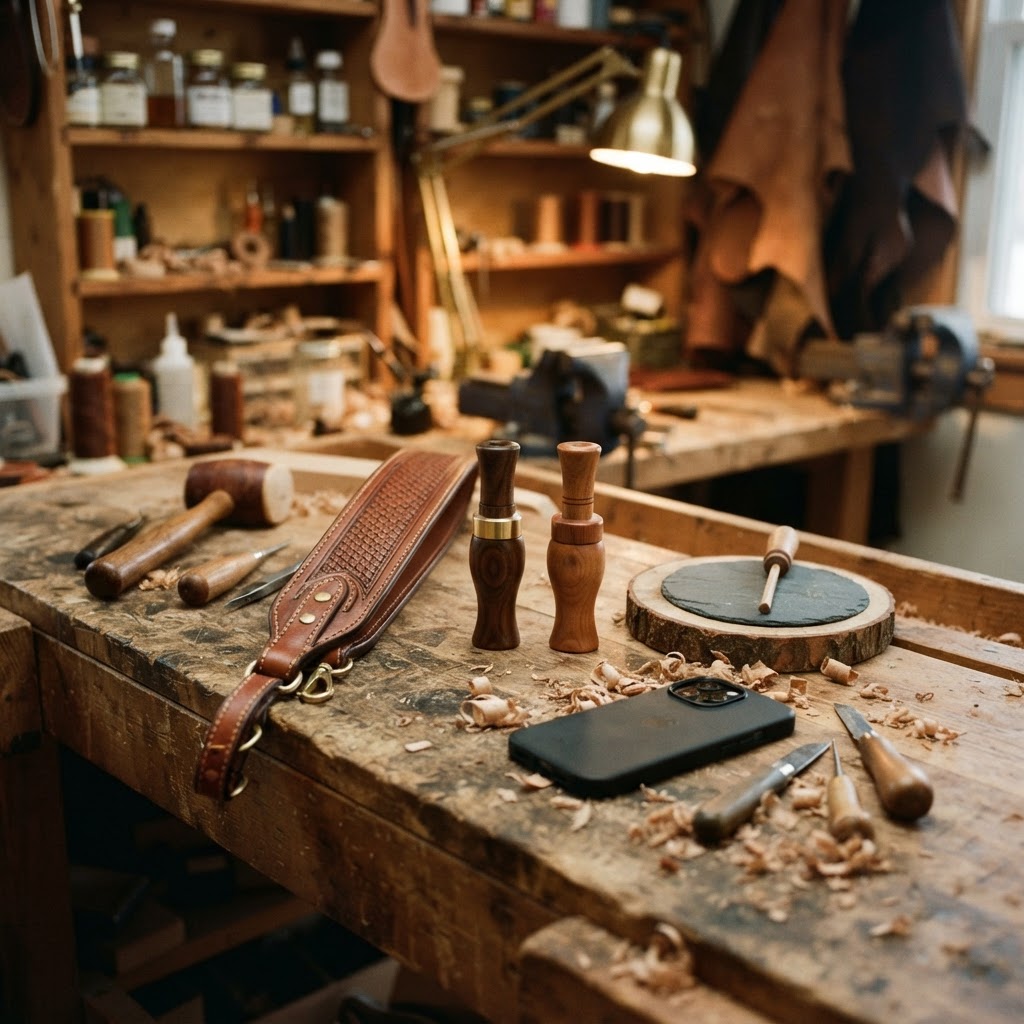
Your followers can't buy what they can't find
You post a photo of a sling you just finished, a client's first gobbler, or a new call on the lathe. People like it. A few ask where they can get one in the comments. Then the post slides down the feed and the question goes with it.
Get the deer movement forecast for your spot, free
See the best days and hours to sit this week, built from your spot's weather, moon, and wind.
That is the gap a link in bio page closes. It gives every post the same place to send people: one page with your work, your shop, your videos and your other accounts. On Buckeye Hunter Hub, that page is free for every member.
What the page is
Your link page lives at your own address, like buckeyehunterhub.com/u/yourname. Anyone can open it, with or without an account. You put that one address in your Instagram, Facebook, TikTok and YouTube profiles, and it carries everything else.
For someone who makes or sells something, the useful parts are:
- A shop section: Makers with an approved shop on the Hub feature up to 6 pieces. Each one opens its page in your shop, and a Visit my shop button sits under them.
- A photo gallery: Up to 12 photos with captions. Show finished work, the process on the bench, or happy clients.
- Your videos: Any video you post to the Hub shows on the page by itself.
- Social buttons: Instagram, Facebook, YouTube, TikTok, X, Snapchat and Twitch.
- A QR code: Print your link for a booth, a counter or a package insert.
- A Join button: It carries your code, so signups from your page are credited to you.
You can in a few minutes.
Makers: put your pieces in every bio
If you sell through a shop on the Hub, open the Sections tab in the builder. Your live pieces show there as a grid. Tap up to 6 to feature them, in the order you tap. If you pick none, your first four show.
Choose pieces the way you would dress a booth table:
- Lead with the piece people ask about most.
- Add one lower priced item, so there is an easy first buy.
- Include something seasonal, like turkey calls in March or slings before gun season.
- Swap them when your stock changes. It takes a few seconds.
Then use the gallery for what the shop page can't show: the hide before it is cut, the stitching up close, a call in a customer's hand in the blind. People buy handmade gear because of the person and the process. Give them both.
Not selling on the Hub yet? The explains how a shop works, and you can browse the .
Guides and outfitters: show the hunt, then the booking link
A client deciding on a guide wants proof. Your page can give it to them in one scroll.
- Headline: Say what you run and where, like guided spring turkey hunts in southern Ohio.
- Gallery: Twelve photos of clients with birds, bucks or fish make a stronger pitch than any paragraph. Caption each with the month and what the day was like.
- Videos: Post a short clip from a hunt to the Hub and it shows on your page.
- Trophy Wall and Catch Wall: Your latest photos fill in on their own.
For the booking link itself, you need . It is a one-time pass, not a subscription, and it adds links to anywhere with your own labels. Add Book a hunt or Rates and dates, and they sit at the top of your page as buttons. Pro also counts the taps on each button, so you can see whether people are reaching for the booking link or the photos.
Callers and content creators: one home for your channels
E-Tag States

Harvest Tags
E-check means you supply the tag. Printed with the exact fields your state requires.
3-pack $22.95
Youth Hunter Academy
Raise a safe, confident young hunter.
Safety missions for ages 5–17. Free parent account.
If you compete, teach calling or film your hunts, your audience is spread across apps. Your page pulls them back together.
- Add every channel as a social button, so a TikTok follower can find your YouTube.
- Post your best clips to the Hub so they show on the page.
- With Lifetime Pro, pin one video to play large at the top, and paste in YouTube and TikTok videos beside the ones you posted.
- Add a sponsor's page as your own link with a clear label, like the discount code your followers get.
Tap counts earn their keep here. When a sponsor asks what their link did, you have a number.
Make it look like your brand
Open the Look tab and choose from four color styles: the Hub's standard look, charcoal and hunter orange, spruce and moss, or deep blue and teal. Pick big tiles or a simple list for your buttons, solid or outline, square or rounded. If you wear a profile theme on the Hub, it runs across the top of the page as a banner. Lifetime Pro adds an accent color you can match to your logo.
Keep it simple. One style, your best photo first, and no more buttons than a person can read in one glance.
Put the link to work
Online, paste your address into every profile you have, and mention it in your captions. A line like link in my bio for sizes and prices is enough.
Offline, use the QR code button beside Copy link. It saves your link as a picture or prints it on a sheet with your name. Good places for it:
- A table sign at a sportsman's show or banquet
- A card tucked into every package you ship
- The counter at a shop that carries your work
- Your truck window or trailer
- A business card you hand a client at the end of a hunt
Get credit when your people join
Every link page ends with a Join free button that carries your code. When someone signs up from your page, it is credited to you. Members earn referral points for each signup, and points take money off in the shop. If you are part of the , signups count on your ambassador code instead.
Your customers get something out of it too: free maps, wind and scent tools, season dates and a community of people who hunt and fish.
A quick setup checklist
- and open My Link Page from the menu under your name.
- Pick an address that matches your business name.
- Write a headline that says what you make or run, and where.
- Add your social accounts.
- Add 6 to 12 photos with captions.
- Makers, pick your featured pieces on the Sections tab.
- Choose a style, press Save, and copy your link.
- Paste it into every bio and print the QR code.
The ground rules
Link pages are public and family friendly. Adult sites and adult wording aren't allowed, and neither are shortened links or other link in bio pages, because they hide where a link goes. Link straight to your site, your booking page or your shop.
Start with one link
You already do the hard part, which is the work. Give it one address people can remember. today and point every post at it.
Frequently Asked Questions
Free every morning
Your Daily Briefing
One morning forecast for the spots you actually hunt and fish: deer movement, waterfowl flights, bite times, wind and shooting light.
See what's in itSet up your briefing
Join free, save a spot on the map, then pick what you hunt and fish and when you want your email.
Join 1,627 hunters and anglers on Buckeye Hunter Hub — free.
Latest from the Community


Everything you need to hunt smarter — free
Buckeye Hunter Hub is a free, nationwide platform. Create an account and unlock the full toolkit:
Free Interactive Hunting Map
Mark stands, cameras, and sign. Draw hunting zones with public land & county overlays across all 50 states.
Zones with Group Sharing
Share zones with your hunting group, split property into sections, assign stands, and check in — all in one place.
50 States of Hunting Resources
Season dates, license links, and DNR regulations for every state, kept current so you never miss an opener.
Deer Movement Forecast
Data-driven daily movement predictions using wind, moon, and pressure — know when to sit before you go.
Waterfowl Movement & Tools
Flight-potential forecasts, migration numbers, decoy spread planner, and a full species field guide.
From the Maker Bench

Taggart Outdoors
Custom Western Belt
Hand-built in the USA · $127.99
Shop the Maker
BHH Partner
Firearms, ammo and gear from a local Ohio shop in Grafton.
dnaarmory.comE-Tag States
Harvest Tags
E-check means you supply the tag. Printed with the exact fields your state requires.
3-pack $22.95
More Articles
A Free Linktree Alternative Built for Hunters and Anglers
Every Buckeye Hunter Hub member gets a free link in bio page: one address for your socials, videos, photos, trophies and catches, with a QR code to print.
How to Set Up Your Hunting Instagram Bio (and the One Link to Put in It)
Four short lines, one clear photo and one link that holds everything. Here is how to set up a hunting or fishing Instagram bio that gets people to tap.
Louisiana Deer Firearms (With dogs) - Areas 3, 7, 8 Season 2026
The Louisiana deer firearms season with dogs for Areas 3, 7, and 8 opens on Monday, November 30, 2026, and runs through Sunday, January 3, 2027. This segment is designated as either-sex hunting for the duration of the season.
Decoding the Woods: Using AI-Assisted Image Sorting to Solve Deer Movement Mysteries
Drowning in thousands of trail camera photos? Discover how modern image recognition technology can help you isolate buck movement and identify core ranges faster than ever before.